5 Free Apps You Should Install ASAP on Any iPad
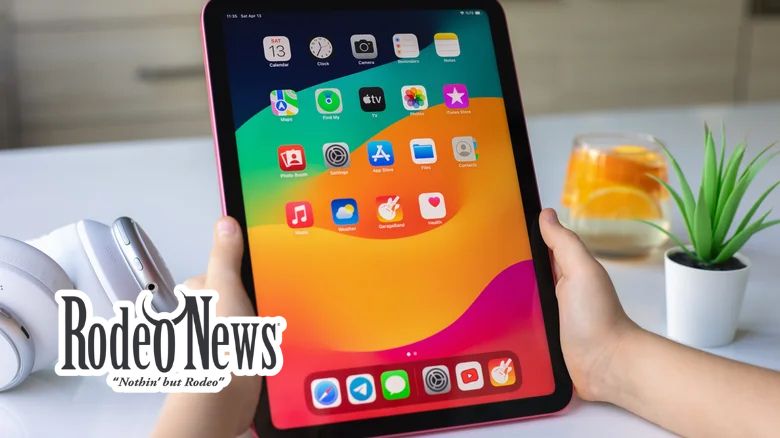
The iPad continues to evolve, especially with the arrival of iPadOS 16 and the latest iPad 11th generation. With improved multitasking, file management, and a more Mac-like experience, Apple’s tablet has become a powerful tool for both work and play. But what makes the iPad truly versatile are the apps that unlock its full potential. If you’re looking to get the most out of your iPad without spending a dime, here are five free apps that should be on your radar.
1. Whisper Transcription: Your Smart Dictation Tool
For iPad users who rely on voice-to-text capabilities, Whisper Transcription is a game-changer. While iPadOS offers built-in dictation, Whisper takes it a step further with higher accuracy and the ability to intelligently insert punctuation. This app is ideal for long-form dictation and transcription tasks, especially for those who want to keep their data private — everything happens locally without sending recordings to external servers.
The app supports multiple languages and can transcribe from a wide range of audio formats such as MP3 and M4A. You can dictate directly in the Whisper app or use its Whisper Dictation Keyboard to integrate transcription seamlessly into your other apps. Whether you’re a content creator, student, or professional, Whisper enhances your dictation workflow and productivity.
While Whisper is free to use, some premium models (such as the Medium and Large versions) require a Pro subscription, but the basic version should suffice for most everyday users.
2. VLC Media Player: Play Anything, Anywhere
VLC has long been a favorite among media enthusiasts for its versatility, and its iPad version is no exception. This open-source media player can handle virtually any video or audio format, making it a one-stop-shop for all your media needs. Whether you’re streaming Netflix or watching local files, VLC gives you the control you need over playback, including options for subtitles, screen brightness, and video filters.
One of VLC’s best features is its SharePlay support, allowing you to stream videos directly to your Apple TV. Plus, with recent updates to iOS 16, VLC now integrates seamlessly with the Files app, meaning no more manual workarounds to open files. The app is entirely free, and it doesn’t force you into paying for additional features.
3. Libby: Free eBooks and Audiobooks from Your Library
For those who love reading, Libby offers a refreshing alternative to Amazon’s Kindle. If you have a library card, Libby allows you to borrow eBooks and audiobooks for free — all from your local library’s digital collection. Gone are the days of paying for expensive e-books when you can access thousands of titles at no cost.
Libby’s intuitive interface is perfect for iPad’s large display, whether you’re reading an eBook or listening to an audiobook on the go. You can borrow titles for a few weeks, with the option to place holds on popular books. With the OverDrive integration, Libby is the perfect way to enjoy free literature and support your local library.
4. Journal: Your Personal Digital Diary
Keeping a journal can be a powerful tool for reflection, creativity, and mental well-being. Apple’s Journal app makes this process seamless on your iPad. Released with iOS 17, the Journal app provides a clean, distraction-free interface with features like mood tracking, photos, voice memos, and location tagging.
With strong privacy controls like Face ID to lock your journal, Apple offers a premium journaling experience for free. The app syncs across your devices, so whether you’re on your iPhone, iPad, or Mac, your thoughts are always within reach. Plus, Apple Intelligence offers suggestions for journal entries based on your activities, helping you keep your writing practice fresh and engaging.
5. Bear: A Beautiful, Minimalist Notes App
For those who need a powerful yet minimalist note-taking app, Bear is the perfect solution. Bear uses Markdown syntax, which allows for consistent formatting across different platforms and file types. Whether you’re taking notes for a meeting, writing an essay, or just jotting down quick ideas, Bear makes it easy to organize your thoughts through its tag-based system.
The app supports everything from text formatting to drawing and scanning documents. Bear’s beautiful interface makes note-taking a pleasure, and while some advanced features like iCloud syncing require a Pro subscription, the free version offers plenty for casual users. For anyone looking for a simple, effective note-taking app, Bear is a top contender.
Why These Apps Stand Out
Selecting the best free iPad apps can be challenging given the sheer volume available on the App Store. These five apps stand out for their functionality, usability, and lack of intrusive ads. They cater to a variety of use cases, from productivity to entertainment, ensuring there’s something for everyone.
What makes these apps even better is their reliability. They are highly rated on the App Store, and each has been thoroughly tested by iPad users (including myself) to ensure they live up to the hype. Whether you’re using an older iPad or one of the latest models, these apps will enhance your experience without requiring you to shell out extra money.
Conclusion
With the right apps, your iPad can go from a casual entertainment device to a powerhouse for work, creativity, and relaxation. These five free apps — Whisper Transcription, VLC, Libby, Journal, and Bear — are essential downloads that will boost your productivity, enhance your media experience, and help you organize your thoughts. Try them out today and take your iPad experience to the next level!