
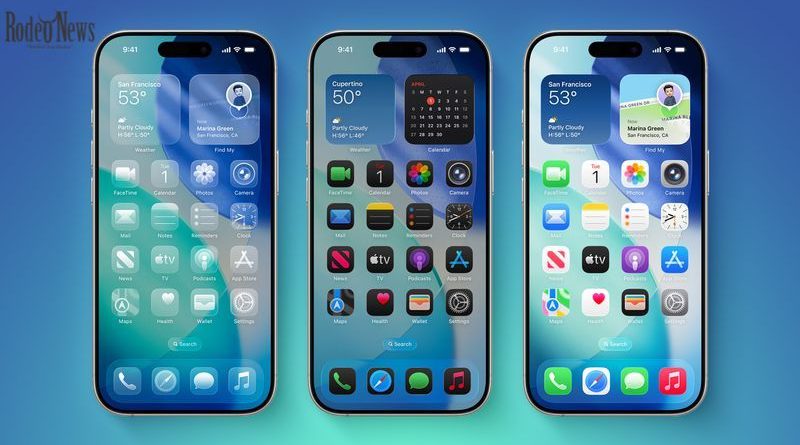
According to recent reports, Apple is testing Undo and Redo buttons within the Home Screen editing interface.
At first glance, these additions may seem minor. However, they address a long-standing frustration for iPhone users: accidentally moving or deleting apps while customizing their Home Screen.
Currently, when users enter “jiggle mode” (by long-pressing the Home Screen), they can rearrange apps, add widgets, and modify layouts. But if a mistake happens, reversing it is not always intuitive or even possible without manually fixing everything again.
This is where the new iOS 27 features come into play.
Undo and Redo: Small Tools, Big Impact
Easier Home Screen Management
The addition of Undo and Redo buttons will allow users to instantly reverse or reapply changes made during Home Screen customization.
For example:
- Accidentally deleting an app? Tap Undo.
- Moved icons incorrectly? Undo instantly.
- Changed your mind? Use Redo to restore changes.
This functionality mirrors tools commonly found in desktop operating systems and professional software, bringing a more flexible editing experience to iOS.
Reduced User Frustration
While iOS is known for its simplicity, it has historically lacked granular control in certain areas. The absence of a proper undo system in Home Screen editing has been one of them.
With these new iOS 27 features, Apple is addressing a subtle but persistent usability issue—one that affects both casual users and power users alike.
Where These Features Will Appear
The Undo and Redo buttons are expected to appear in the same menu that currently includes options like:
- Add Widget
- Customize
- Edit Wallpaper
- Edit Pages
By integrating these tools into an existing interface, Apple avoids clutter while enhancing functionality. This aligns with its broader design philosophy: improve without overwhelming the user.
iOS 27: A “Snow Leopard”-Style Update
Beyond these two new options, iOS 27 is shaping up to be a refinement-focused release.
Industry reports suggest Apple is treating this update similarly to Mac OS X Snow Leopard, which prioritized performance improvements and bug fixes over flashy new features.
This means users can expect:
- Improved system stability
- Faster performance
- Fewer bugs
- Better overall responsiveness
Rather than reinventing iOS, Apple appears to be polishing it.
Additional iOS 27 Features Expected
While Undo and Redo are among the latest discoveries, they are just part of a broader set of rumored iOS 27 features.
1. Smarter Siri Experience
Apple is reportedly working on a more advanced version of Siri, potentially including:
- A dedicated app
- Chatbot-like capabilities
- Improved contextual understanding
This could position Siri as a stronger competitor to AI assistants like ChatGPT and Google Gemini.
2. Apple Intelligence Enhancements
iOS 27 may introduce expanded “Apple Intelligence” features, including:
- Scanning nutrition labels using the camera
- Automatically adding contacts from scanned information
- Generating digital versions of physical tickets
- Smart organization of Safari tabs
These tools aim to integrate AI more deeply into everyday tasks without requiring third-party apps.
3. Keyboard Improvements
Another expected addition is a smarter keyboard with enhanced autocorrect and word suggestions.
This feature is designed to function similarly to writing assistants, offering:
- Alternative word suggestions
- Improved typing accuracy
- Context-aware corrections
4. Satellite Connectivity Expansion
Apple is also exploring expanded satellite features, including:
- Sending photos via satellite
- Satellite-based messaging improvements
- Possible Apple Maps integration in low-connectivity areas
These updates could be particularly useful for users in remote regions.
Why These Small Features Matter
At a time when many tech companies are racing to introduce bold AI-powered tools, Apple’s approach with iOS 27 stands out.
Instead of overwhelming users with radical changes, Apple is focusing on:
- Everyday usability
- Incremental improvements
- Real-world convenience
The addition of Undo and Redo is a perfect example. It may not be revolutionary, but it solves a real problem that millions of users face.
A More Mature iOS Experience
Over the years, iOS has evolved from a simple mobile operating system into a powerful platform capable of handling complex tasks.
With iOS 27 features, Apple appears to be entering a more mature phase—one where refinement matters more than reinvention.
This approach reflects a deeper understanding of user needs:
- Stability over novelty
- Efficiency over complexity
- Precision over experimentation
Release Timeline for iOS 27
Apple is expected to officially unveil iOS 27 during its annual developer event, WWDC 2026.
Key timeline:
- Announcement: June 2026
- Beta testing: Shortly after WWDC
- Public release: September 2026
As always, the update will likely launch alongside the next generation of iPhones.
What This Means for iPhone Users
For everyday users, the upcoming iOS 27 features signal a more polished and reliable experience.
The addition of Undo and Redo may seem minor, but it reflects a broader trend:
- Apple is listening to user feedback
- Small frustrations are being addressed
- The user experience is becoming more refined
Meanwhile, larger improvements in AI, Siri, and system performance ensure that iOS remains competitive in an increasingly AI-driven landscape.
Final Thoughts
The latest iOS 27 features reveal a clear direction for Apple’s software strategy: focus on meaningful improvements rather than headline-grabbing changes.
The introduction of Undo and Redo in Home Screen customization is a perfect example of how small updates can have a big impact. Combined with performance upgrades and AI enhancements, iOS 27 is shaping up to be one of the most balanced updates in recent years.
As Apple prepares to unveil the update at WWDC 2026, users can look forward to an operating system that feels faster, smarter, and more intuitive—without sacrificing the simplicity that defines the iPhone experience.