
watchOS 27.2 Beta 2 Revives the Apple Watch App Switcher
Apple appears to be reversing one of the more noticeable multitasking changes introduced with watchOS 27. The watchOS 27.2 beta 2 release brings back the Apple Watch App Switcher, although users will need to learn a new gesture to access it.
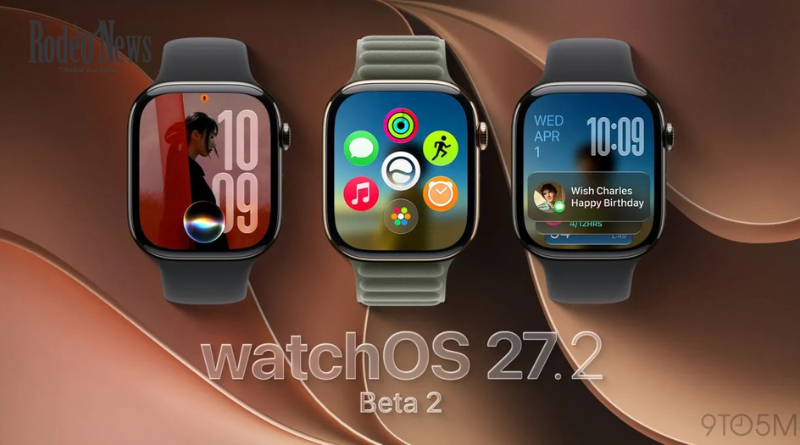
The change is significant because watchOS 27 removed the familiar method of quickly moving between recently used apps. Before the new software, users could double-click the Digital Crown to open the App Switcher and quickly return to a previous app.
That shortcut disappeared with watchOS 27. Now, according to testing of watchOS 27.2 beta 2, Apple has restored the App Switcher itself while moving its activation to the touchscreen.
For Apple Watch owners who frequently jump between apps, the change could make watchOS 27.2 one of the more useful updates in the current beta cycle.
watchOS 27.2 Beta 2 Brings Back App Switcher
Apple released the second developer beta of watchOS 27.2 on September 21, 2026, roughly one week after the first beta. The update is part of Apple’s broader testing cycle for its next-generation software releases.
The headline change for Apple Watch users is the return of the App Switcher.
In earlier versions of watchOS, the Digital Crown served as a convenient shortcut for accessing recently used applications. A double-click could quickly switch between the current app and the app that was previously open. Users could also use the App Switcher to browse other recently used apps.
With watchOS 27, that behavior changed.
The Digital Crown double-click was no longer used for the previous App Switcher experience. Instead, watchOS 27 introduced a redesigned app interface and repurposed the gesture in connection with Apple’s new Live Rewind feature on supported Apple Watch models.
The removal prompted complaints from users who had become accustomed to switching applications with a quick physical gesture.
Now Apple is bringing the App Switcher back.
A New Gesture Replaces the Digital Crown Shortcut
The biggest difference in watchOS 27.2 beta 2 is how users access the App Switcher.
Rather than double-clicking the Digital Crown, users can reportedly press and hold the bottom portion of the Apple Watch display while inside an app.
After the App Switcher appears, users can interact with their recently used applications much as they could before. The Digital Crown can be turned to move through recent apps, while an app can also be swiped to the left to reveal an option to close it.
The change means Apple has not simply restored the old Digital Crown shortcut. Instead, it has separated the App Switcher from the physical control and given it a new touchscreen-based activation method.
That distinction matters because the Digital Crown’s double-click behavior now serves another purpose within the watchOS 27 experience.
Why Apple Removed the Old App Switcher
The original removal was not entirely unexplained.
Apple introduced Live Rewind as part of the new watchOS 27 experience, with the feature using the double-click gesture on compatible Apple Watch hardware. The change created a conflict with the previous shortcut for switching between applications.
Before watchOS 27, double-clicking the Digital Crown was one of the fastest ways to move back to the previously used app.
For example, a user could be looking at a workout application, open another app, and then double-click the Digital Crown to return to the previous application. The behavior was particularly useful for people who regularly moved between two apps.
The watchOS 27 redesign effectively removed that workflow.
The result was a situation where users could still access their apps through the redesigned interface, but the familiar rapid-switching experience was no longer available in the same form.
Apple’s decision to restore the App Switcher in watchOS 27.2 beta 2 suggests the company is continuing to adjust the navigation system during the beta-testing process.
How the New Apple Watch App Switcher Works
The restored App Switcher retains several elements of the older system.
Once users activate it with the new long-press gesture, they can move through recently used applications. Turning the Digital Crown provides a way to navigate through the list.
Users can also remove applications from the App Switcher by swiping left on an app and selecting the close option.
That gives the feature a familiar overall structure even though the activation method has changed.
The new gesture could take some time for existing Apple Watch owners to learn. People who have spent years relying on the Digital Crown double-click may initially attempt the old shortcut out of habit.
However, the restoration is still notable because it gives users a dedicated way to access recent apps rather than forcing them to rely exclusively on the newer application interface.
watchOS 27.2 Beta 2 Is Still Experimental
There is an important caveat: watchOS 27.2 beta 2 is pre-release software.
Apple’s developer release notes describe watchOS 27.2 as a beta development environment for applications running on the upcoming operating system. The documentation also lists changes and known issues that developers should consider while testing.
That means features found in the beta are not necessarily guaranteed to appear unchanged in the final public release.
Apple can modify, remove or further refine functionality during the beta period.
The restored App Switcher is therefore best viewed as an indication of Apple’s current direction rather than a final promise about the finished version of watchOS 27.2.
For everyday users, installing developer beta software also carries the normal risks associated with pre-release operating systems, including bugs, compatibility problems and unexpected behavior.
The Change Could Improve Apple Watch Multitasking
The return of the App Switcher addresses a specific usability gap created by the watchOS 27 redesign.
Smartwatches have smaller displays than phones, which makes fast navigation particularly important. Requiring users to open a full app interface every time they want to return to a recently used application can add extra steps.
A dedicated App Switcher reduces that friction.
For people using an Apple Watch for workouts, navigation, messaging, music or productivity, rapid access to recently used apps can be particularly convenient.
The new gesture also gives Apple another way to preserve multitasking without taking the Digital Crown’s double-click away from newer features.
In that sense, the change represents a compromise between Apple’s redesigned watchOS 27 interaction model and the traditional multitasking workflow that longtime users already understand.
Apple Is Testing More Than the App Switcher
The App Switcher is not the only feature being tested in the watchOS 27.2 development cycle.
Apple’s second watchOS 27.2 beta arrived alongside new beta releases for several other platforms, including iOS 27.2, iPadOS 27.2, macOS and visionOS.
Apple is also testing a redesigned Health experience as part of the broader software update cycle. The updated Health app includes new areas such as Insights and Longevity, with features connected to Apple’s newer health and fitness ecosystem.
That puts the App Switcher restoration within a wider software-development effort rather than treating it as an isolated change.
Still, for many Apple Watch users, the navigation change may be one of the most immediately noticeable improvements in the beta.
What Happened to the Digital Crown Double-Click?
The Digital Crown remains an important part of Apple Watch navigation, but watchOS 27 changed what happens when users double-click it.
Previously, the gesture was closely associated with the App Switcher and rapid movement between recently used applications.
The new watchOS 27 design uses the interaction differently, partly because of the introduction of Live Rewind on supported hardware. That meant Apple needed another method to provide access to recently used applications.
The new long-press gesture appears to be Apple’s answer.
Rather than restoring the old shortcut exactly as it was, Apple has created a separate touchscreen gesture that can coexist with the newer Digital Crown functionality.
That could ultimately give Apple more flexibility as it expands watchOS features.
What Apple Watch Users Should Expect
For users currently running watchOS 27, the return of the App Switcher could be one of the more welcome changes in the upcoming 27.2 update.
The biggest adjustment will be learning the new activation gesture.
Instead of automatically reaching for the Digital Crown, users will need to press and hold the lower portion of the display while an app is open. Once the App Switcher appears, navigation remains broadly familiar.
The exact behavior could still change before the final software release.
Apple’s beta process gives the company an opportunity to collect developer and user feedback, identify usability problems and refine features before a wider rollout.
For that reason, the final version of watchOS 27.2 may not necessarily behave exactly like beta 2.
When Could watchOS 27.2 Arrive?
Apple has not announced a specific public release date for the final watchOS 27.2 update.
The company is currently testing the software through developer betas, with beta 2 arriving on September 21. The first beta was released approximately one week earlier.
Based on the current testing stage, additional beta releases can be expected before Apple considers the software ready for a broader rollout.
The App Switcher’s return is therefore a feature to watch during subsequent builds.
If Apple keeps the functionality intact, watchOS 27.2 could restore a familiar multitasking capability while retaining the newer interaction model introduced with watchOS 27.
A Small Change With a Big Usability Impact
The return of the App Switcher may look like a relatively small change, but it addresses an important part of the Apple Watch experience.
The watchOS 27 redesign changed how users interacted with recent applications, removing a gesture that had become deeply familiar. With watchOS 27.2 beta 2, Apple appears to be acknowledging that recent-app access remains useful and is testing a new way to provide it.
The new long-press gesture is different from the traditional Digital Crown shortcut, but the underlying goal is similar: make it easier to move between apps without navigating through the entire interface.
For now, Apple Watch owners should treat the feature as experimental because it remains part of beta software. However, its appearance in the second developer beta provides a clear sign that the App Switcher is not necessarily gone for good.
If Apple keeps the feature in the final release, watchOS 27.2 could give users a familiar multitasking tool in a new form—one that works alongside the redesigned watchOS 27 navigation system.